2.4 KiB
2.4 KiB
Install MAZANOKE as Web App
MAZANOKE can be installed as a Progressive Web App (PWA), letting you use it like a native app on your device.
Visit MAZANOKE.com and click the "Install" button in the top-right corner. This button appears when MAZANOKE detects browser support for PWA.
If you don’t see the "Install" button, you can still manually install MAZANOKE in just a few simple clicks, see how in the section "Manual install".

Manual Install
Instructions are provided for all major browsers, but the steps are similar for derivative browsers. As of writing, the desktop version of Firefox does not natively support PWA.
Desktop
Mobile
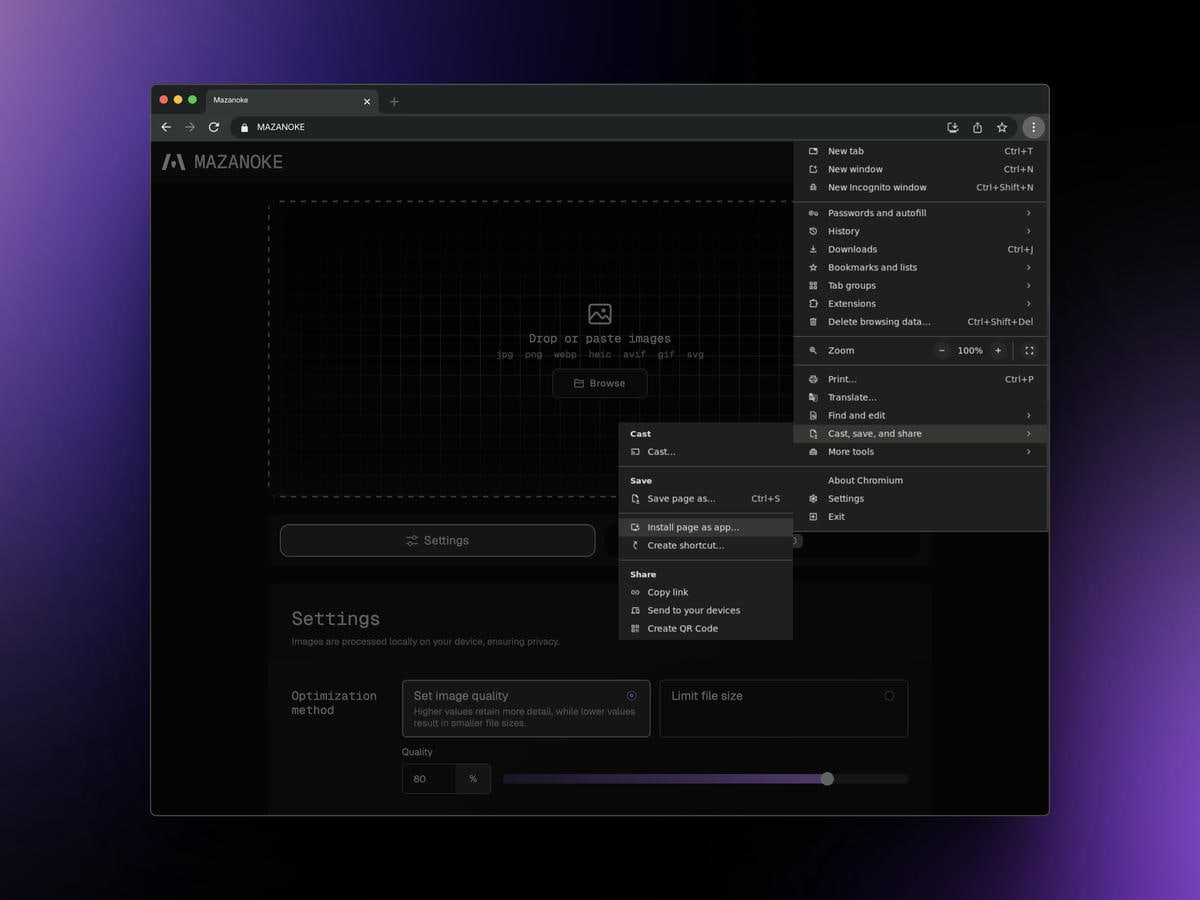
Chrome (Desktop)
- Click the three-dot icon to open the more menu.
- Move the cursor to hover "Cast, save, and share".
- Click "Install page as app".
- A prompt will show up, click "Install".
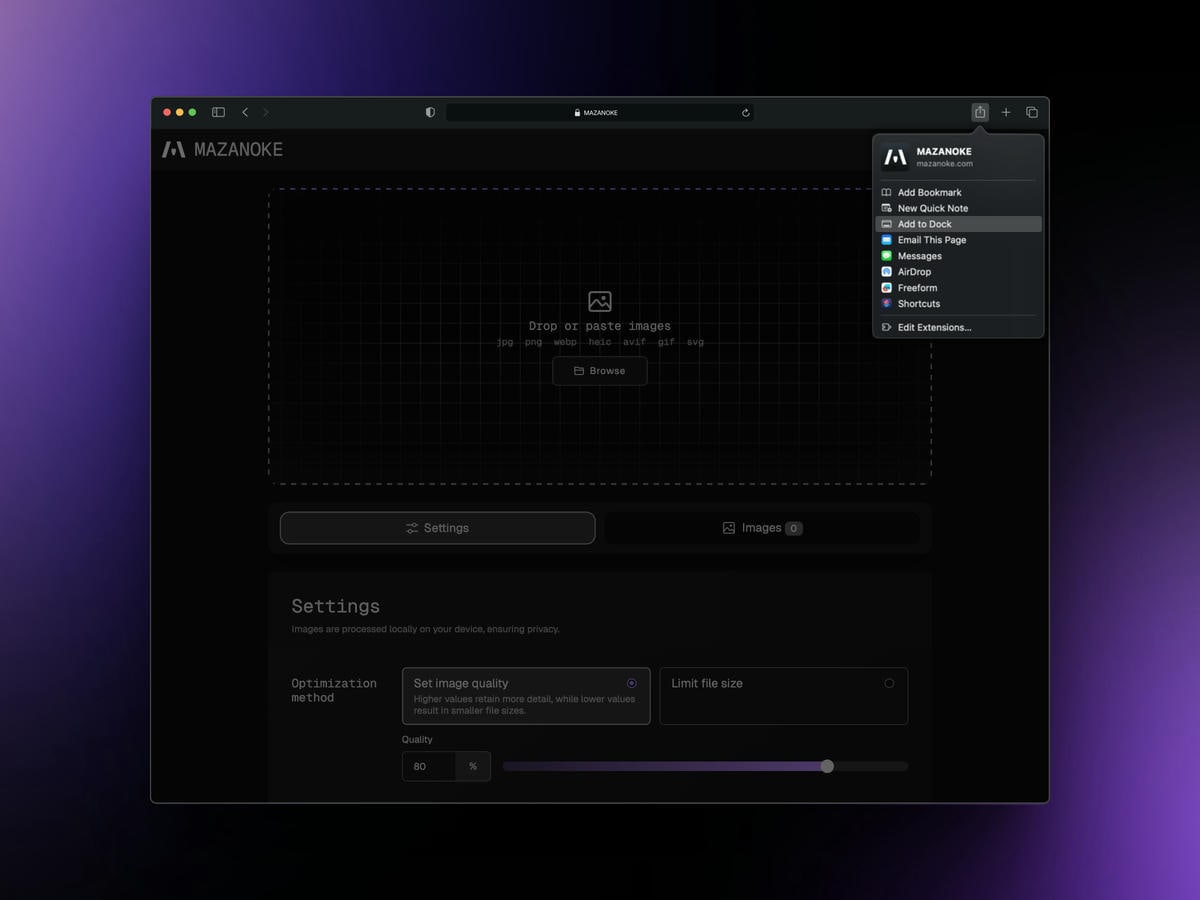
Safari (Desktop)
- Click and open the share sheet.
- Click "Add to Dock".
- A prompt will show up, click "Add".
Firefox (Mobile)
- Tap the three-dot icon to open the more menu.
- Tap "Add App to Home Screen".
- A prompt will show up, tap "Add".
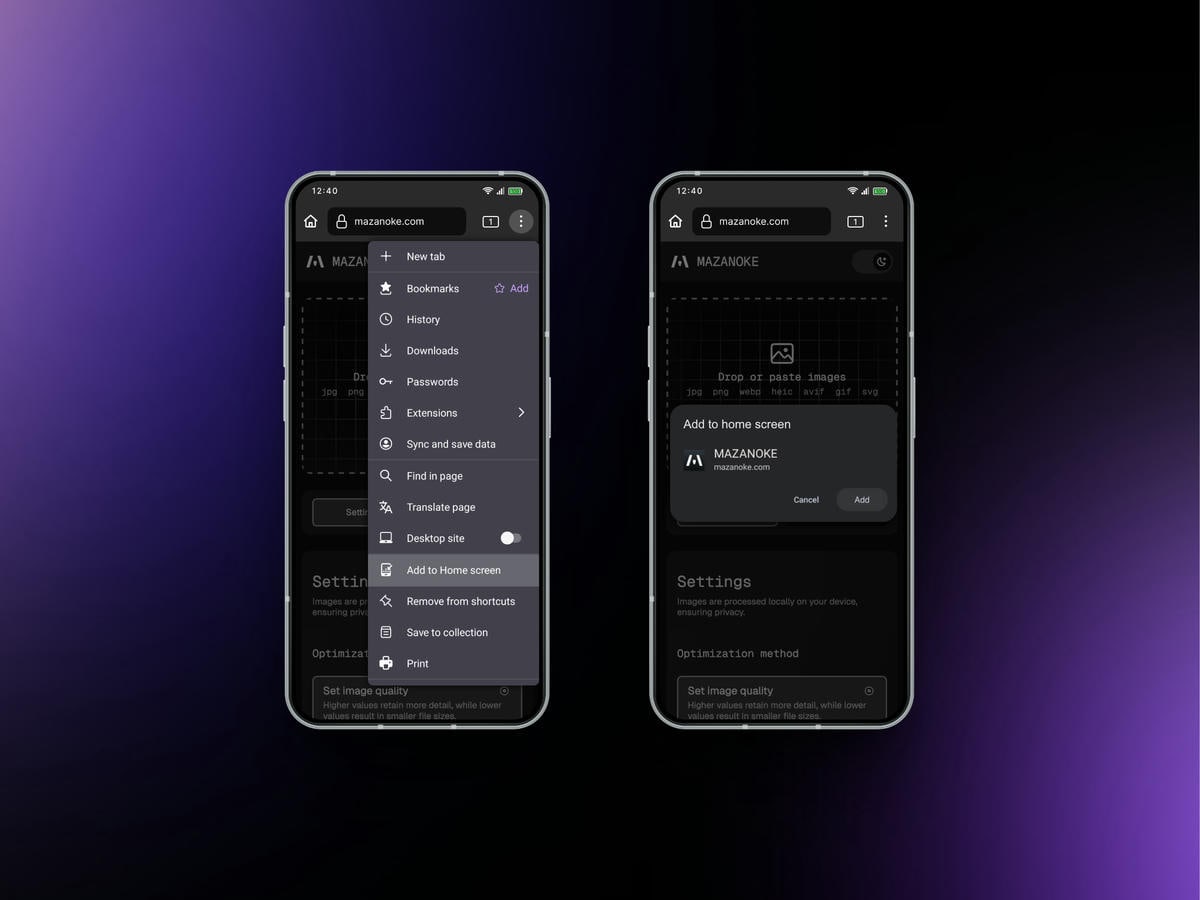
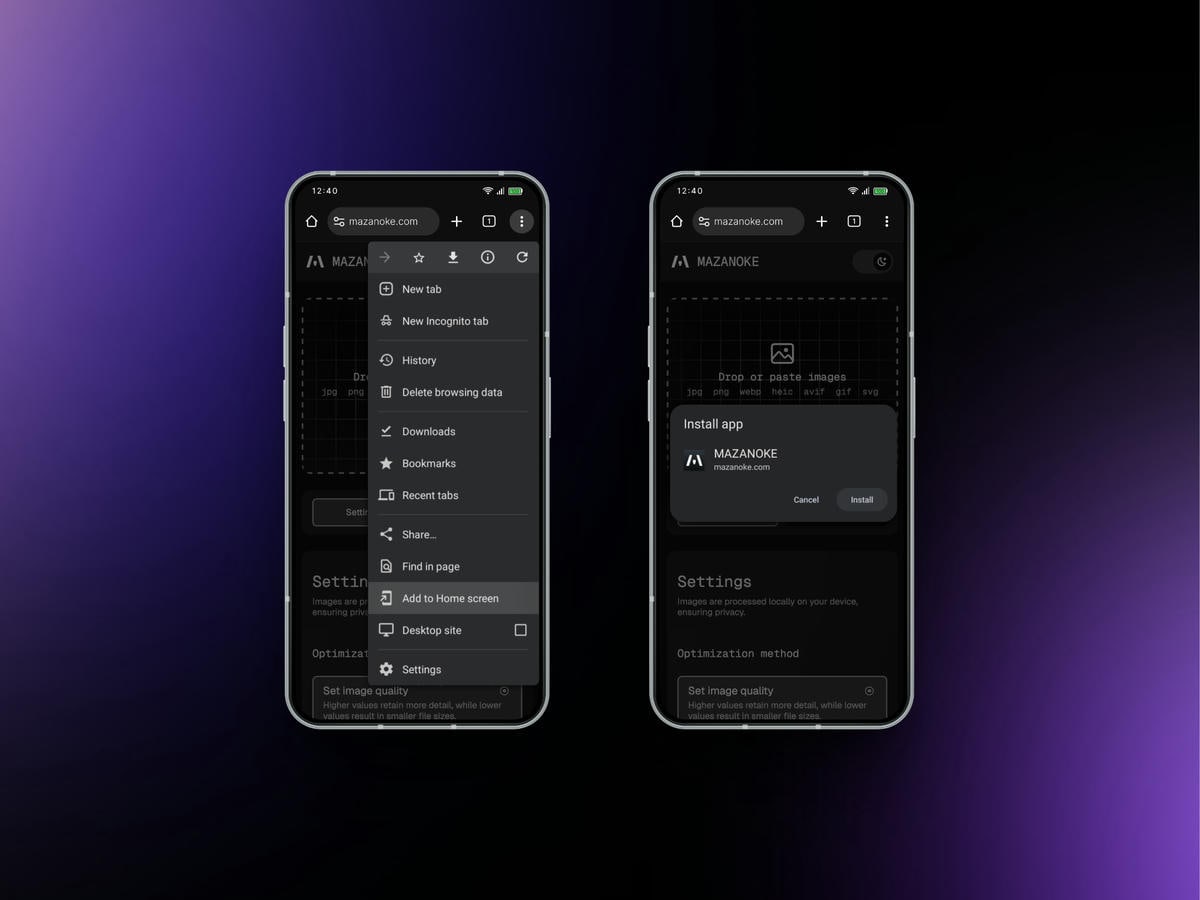
Chrome (Mobile)
- Tap the three-dot icon to open the more menu.
- Tap "Add to Home screen".
- A prompt will show up, tap "Install".
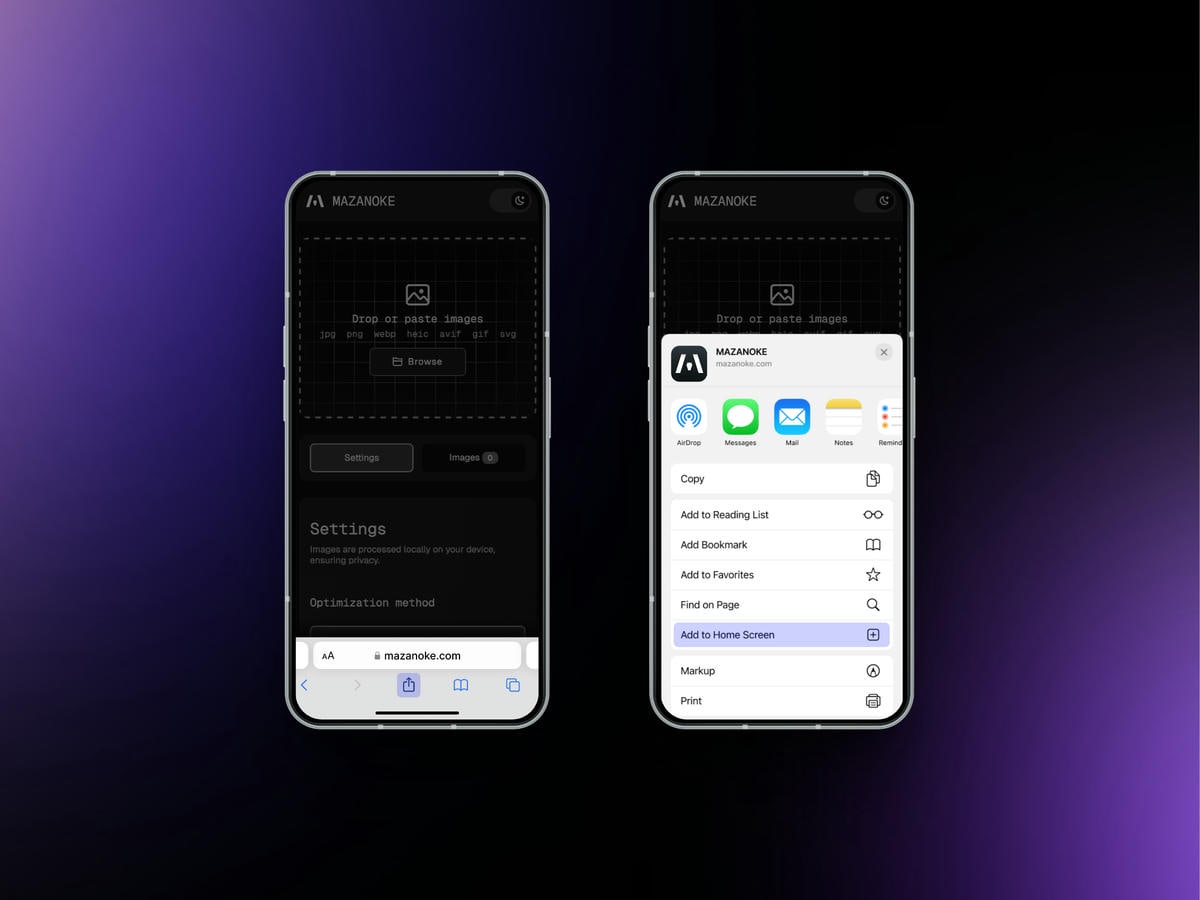
Safari (Mobile)
- Tap and open the share sheet.
- Tap "Add to Home Screen".
- A prompt will show up, tap "Add".